SNAU309 October   2025 LMK3H2108


  1.   1
  2.   Description
  3.   Features
  4.   Applications
  5.   5
  6. 1Evaluation Module Overview
    1. 1.1 Introduction
    2. 1.2 Kit Contents
    3. 1.3 Specification
    4. 1.4 Device Information
  7. 2Hardware
    1. 2.1 EVM Quick Start
      1. 2.1.1 Hardware Setup
      2. 2.1.2 Software Setup
    2. 2.2 EVM Configuration
      1. 2.2.1 Device Operational Modes
      2. 2.2.2 Power Supply
      3. 2.2.3 Logic Inputs and Outputs
      4. 2.2.4 Configuring the Clock Outputs
      5. 2.2.5 Using the USB Interface Connection
  8. 3Software
    1. 3.1 Software Installation
    2. 3.2 Software Description
      1. 3.2.1 User Controls Page
      2. 3.2.2 Raw Registers Page
      3. 3.2.3 Global Settings Page
      4. 3.2.4 EFUSE Pages Page
      5. 3.2.5 GPIO Page
      6. 3.2.6 FODs Page
      7. 3.2.7 Inputs Page
      8. 3.2.8 OUT0 Page
      9. 3.2.9 OUT1 & OUT2 Page
  9. 4Implementation Results
    1. 4.1 Evaluation Setup
    2. 4.2 Performance Data and Results
  10. 5Hardware Design Files
    1. 5.1 Schematics
    2. 5.2 PCB Layouts
    3. 5.3 Bill of Materials (BOM)
  11. 6Additional Information
    1. 6.1 Trademarks
  12. 7Related Documentation
    1. 7.1 Supplemental Content

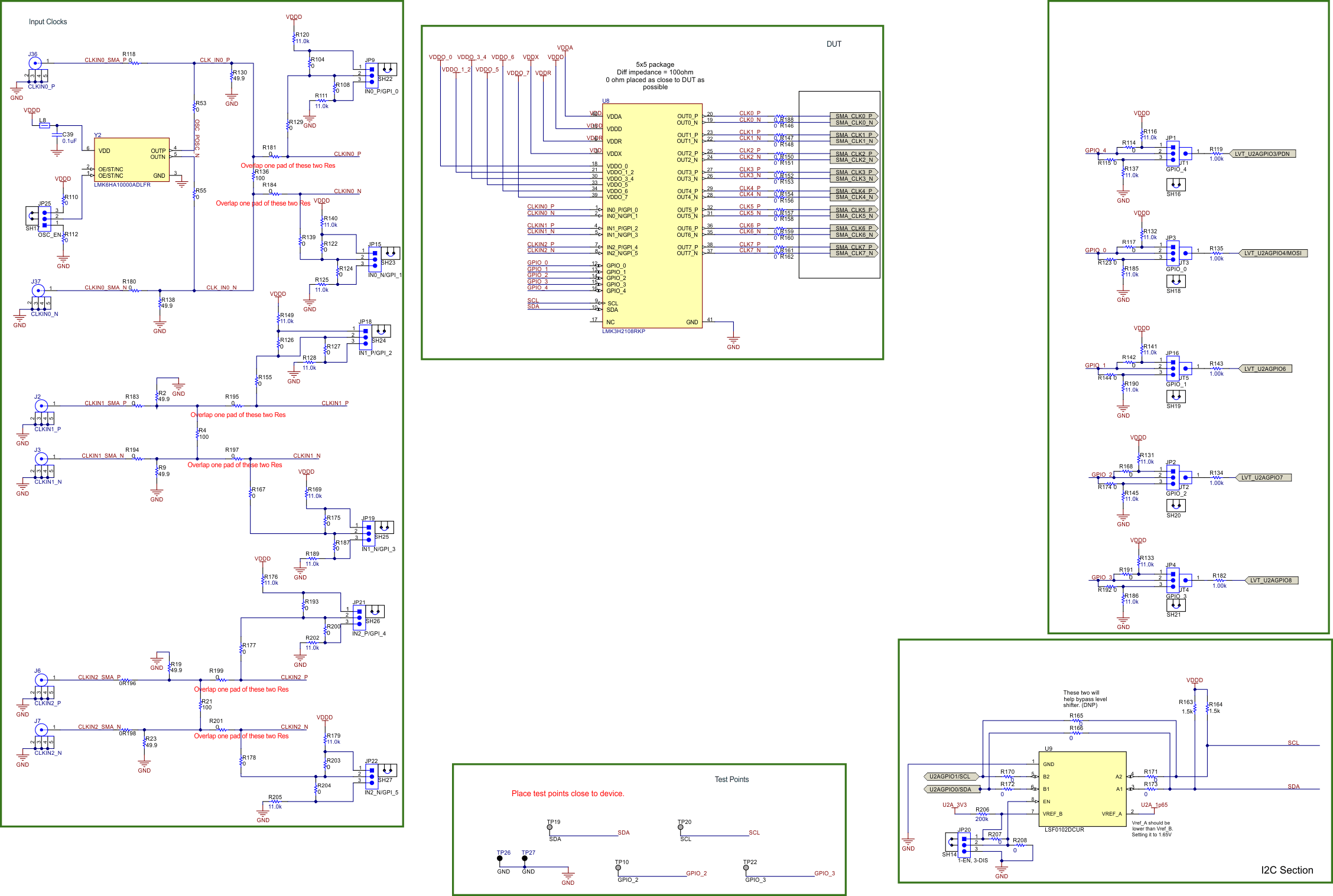
Schematics

LMK3H2108EVM LMK3H2108EVM Device, Inputs, and
          GPI/GPIO Figure 5-1 LMK3H2108EVM Device, Inputs, and GPI/GPIO
LMK3H2108EVM LMK3H2108EVM USB2ANY and USB
          Power Figure 5-2 LMK3H2108EVM USB2ANY and USB Power
Note: When using a core supply voltage of 1.8V, R60 and R61 must be changed to 1kΩ resistors for successful I2C communication.
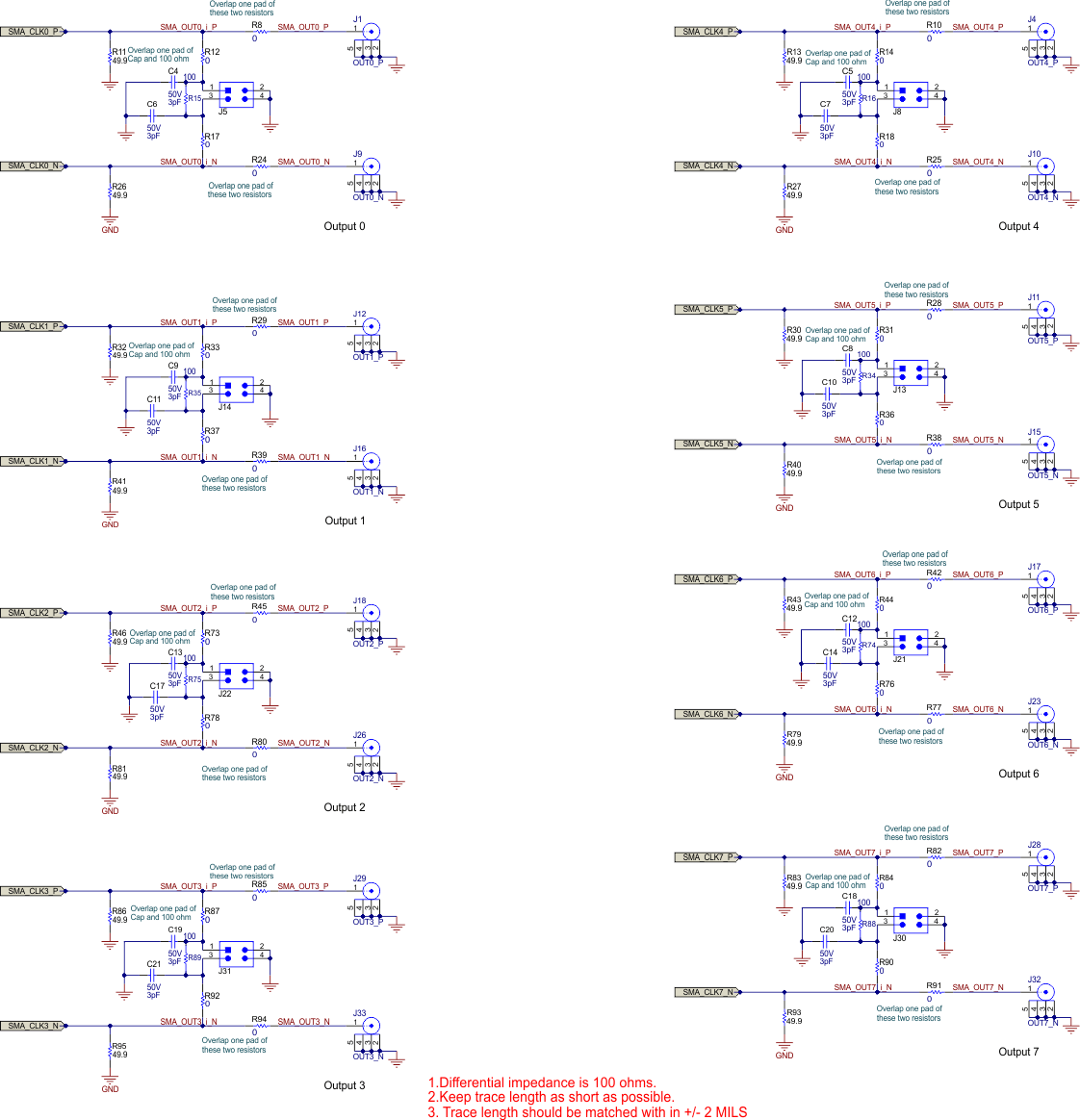
LMK3H2108EVM LMK3H2108EVM Outputs Figure 5-3 LMK3H2108EVM Outputs
LMK3H2108EVM LMK3H2108EVM Power Figure 5-4 LMK3H2108EVM Power
LMK3H2108EVM LMK3H2108EVM Hardware Figure 5-5 LMK3H2108EVM Hardware