SLVUD80 September 2025
3.1.1 Brushed-DC Control
When driving a brushed-DC motor with the DRV8844AEVM, the motor terminals either needs to be connected across OUT1 to OUT2 or OUT3 to OUT4. While driving a load connect across OUT1 to OUT2, the direction and decay switches are in the same setting. The speed of the motor can then be controlled with CH1 potentiometer.
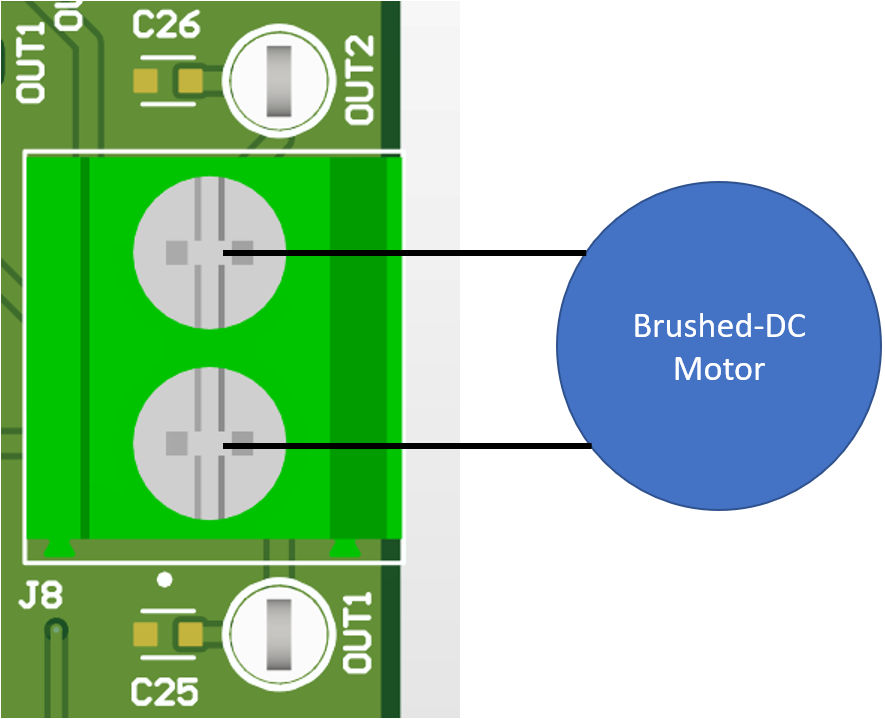 Figure 3-2 Brushed-DC Motor
Connection
Figure 3-2 Brushed-DC Motor
ConnectionFor example, when Channel 1 & Channel 2 FWD and SLOW DECAY are both selected (switches to left position) while a brushed-DC motor is connected across OUT1 to OUT2, then CH1 potentiometer drives a motor in the forward direction switching between a forward drive and slow decay state. The potentiometer varies the duty cycle of the inputs between 0% to 100%.
 Figure 3-3 Input Switch Configuration for
Brushed-DC Motor Connection (Forward-Slow Decay)
Figure 3-3 Input Switch Configuration for
Brushed-DC Motor Connection (Forward-Slow Decay)